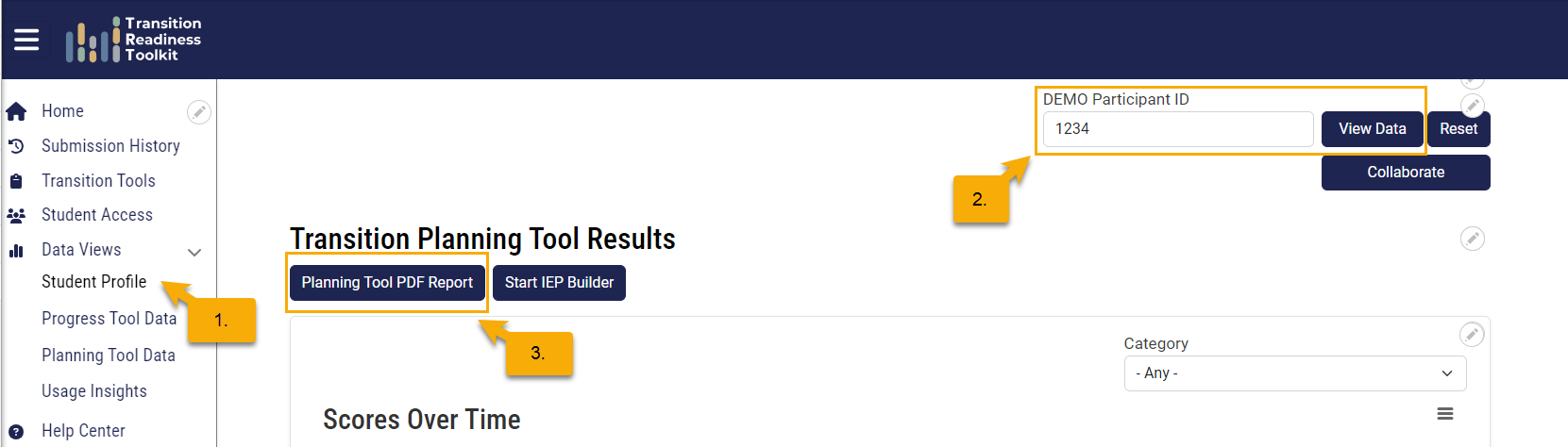
- From the side menu, click Student Profile.
- Enter the student's Participant ID and click View Data.
- Click Planning Tool PDF Report.
- When the report opens in a new tab, enter the student's name (optional).
- Click the Download icon in the upper-right corner to save the report to your computer.